Welcome! This guide covers everything on this testbed: a five-minute learner demo, a reference for each admin screen, the badge display features, and notes on how the plugin behaves under the hood. The plugin is Open Badges for LearnDash v0.1.0, running on WordPress 7.0 / LearnDash 5.1 / PHP 8.4.
Logins
- Your admin account — you received a personal login by email. It has full administrator access; this is a testbed, so explore freely.
- Demo learner — username
demolearner, passwordBadge-Demo-2026. A plain subscriber, enrolled in the demo course, whose email address is intentionally non-deliverable (demo-learner@example.test), so badge issuances to it never send real mail. Use a private/incognito window so your admin session stays separate.
The five-minute demo
- In a private window, log in at /wp-login.php as
demolearner. - Open the Badge Basics course and complete Lesson 1: What Is an Open Badge? — click Mark Complete. This matches a lesson-completion trigger and queues a badge from CanCred Factory.
- Complete Lesson 2. That finishes the course, which matches a course-completion trigger for a badge from Open Badge Factory.
- Visit My Badges (still as the demo learner). Within a minute or so — issuance runs in the background via WP-Cron — both badges appear.
- In your admin window, open Open Badges → Activity Log to see the issuance records, and the Triggers screen to see each trigger’s fired count incremented.
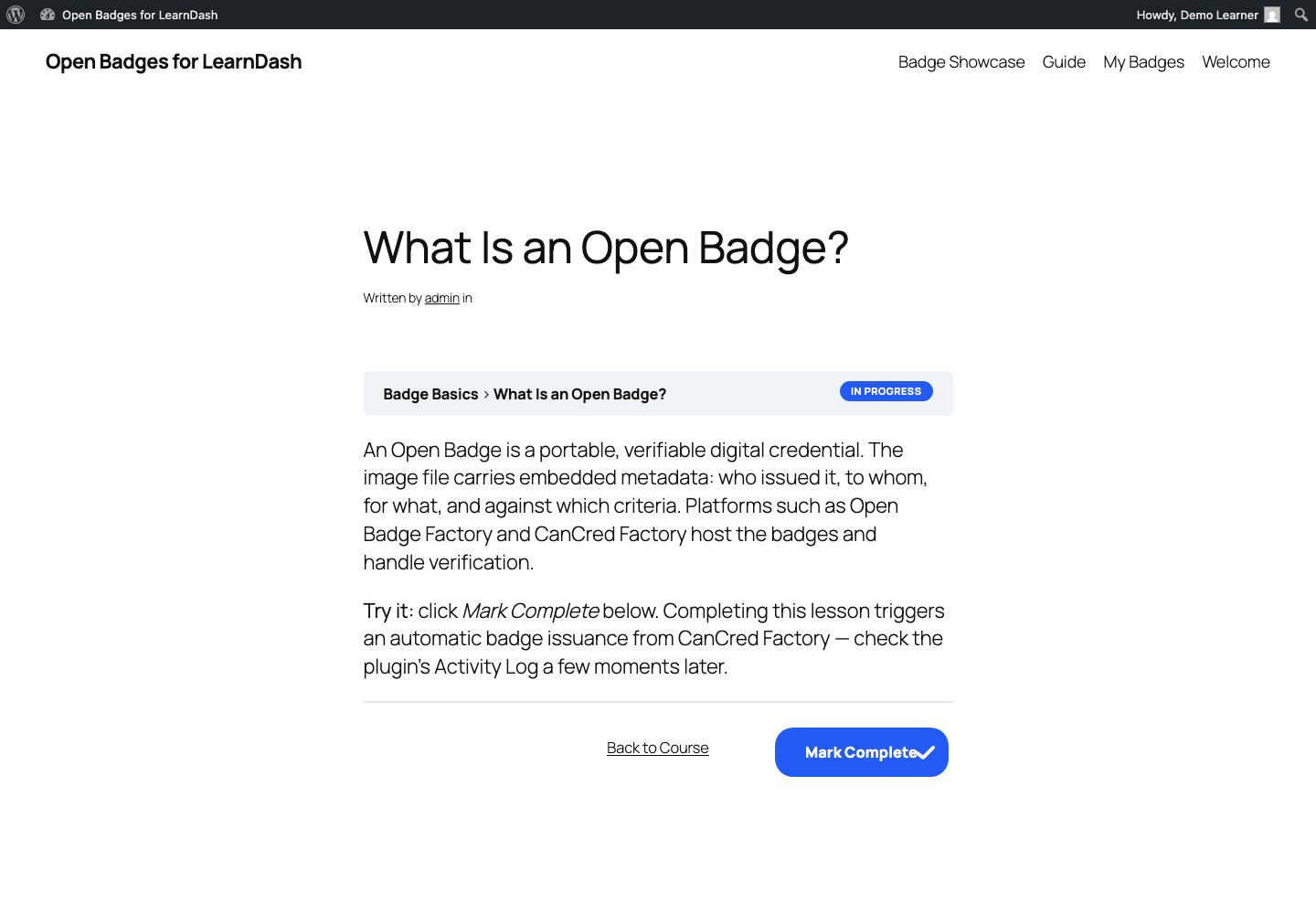
Repeatable? Deduplication is per learner: the demo learner can’t earn the same badge twice from the same trigger. To re-run the loop, create a fresh subscriber (or delete and recreate demolearner and re-enroll them), or watch the loop with manual issuance instead.
The admin screens
Everything lives under the Open Badges menu in wp-admin.
Settings
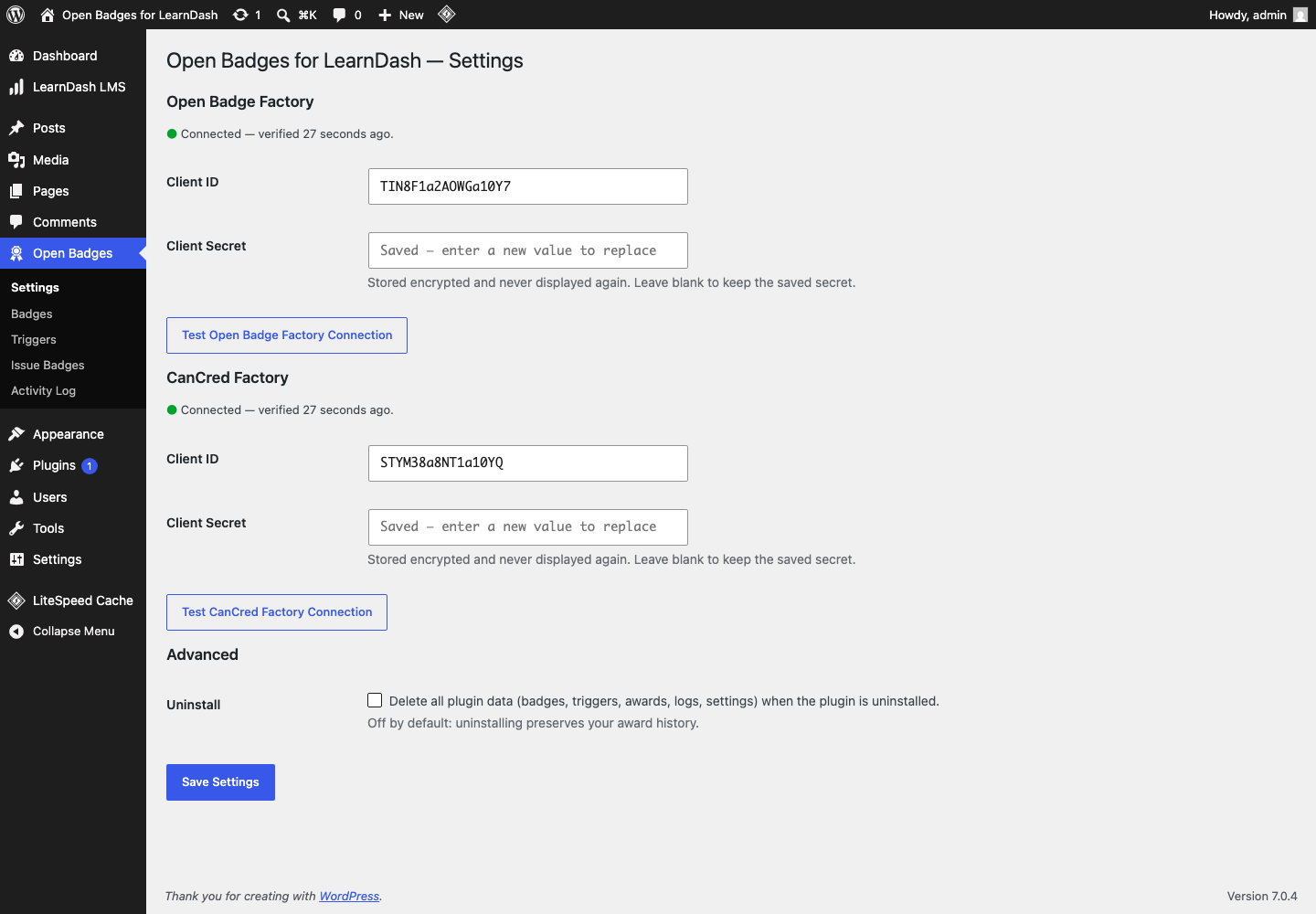
One credentials panel per provider — Open Badge Factory and CanCred Factory, same API, different host. Client ID is visible; the Client Secret is write-only (never redisplayed) and stored encrypted with this site’s WordPress salts. Test connection performs a live authenticated ping and records the result; both providers on this site currently test green. If the site’s security keys were ever rotated, stored secrets would become undecryptable and a “re-enter credentials” notice would appear here — a health notice, never a fatal.
Badges
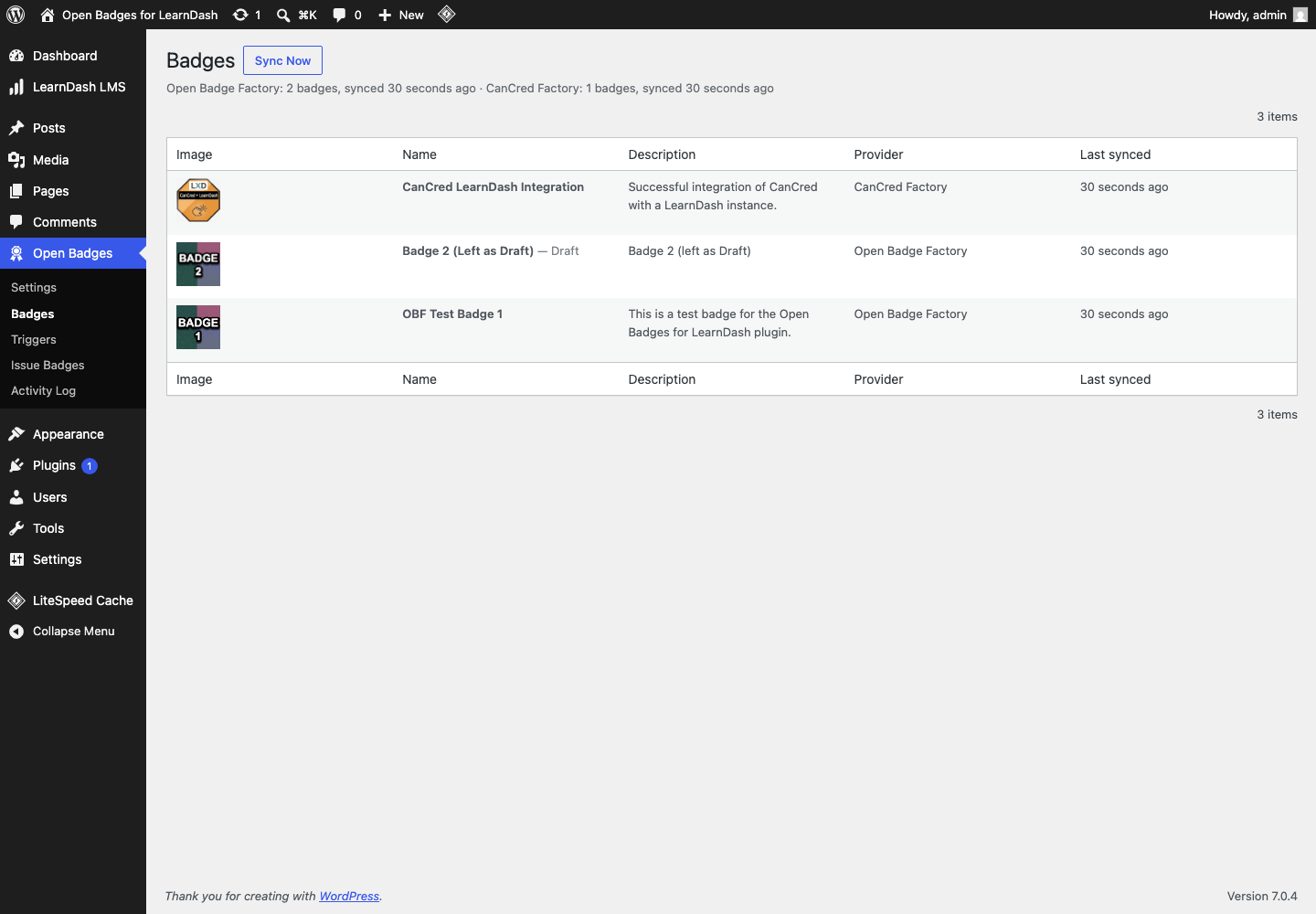
The local mirror of both providers’ badge inventories. Sync now refreshes it (each connected provider is paged fully). Note the columns: this site currently shows two published badges and one draft — “Badge 2 (Left as Draft)” from OBF. Draft badges sync and display here so you can see them coming, but they are excluded from triggers and issuance until published at the provider. If a badge disappears at the provider while a trigger still references it, it is kept and flagged “missing at provider” rather than deleted — deleting it would silently destroy trigger configuration.
Triggers
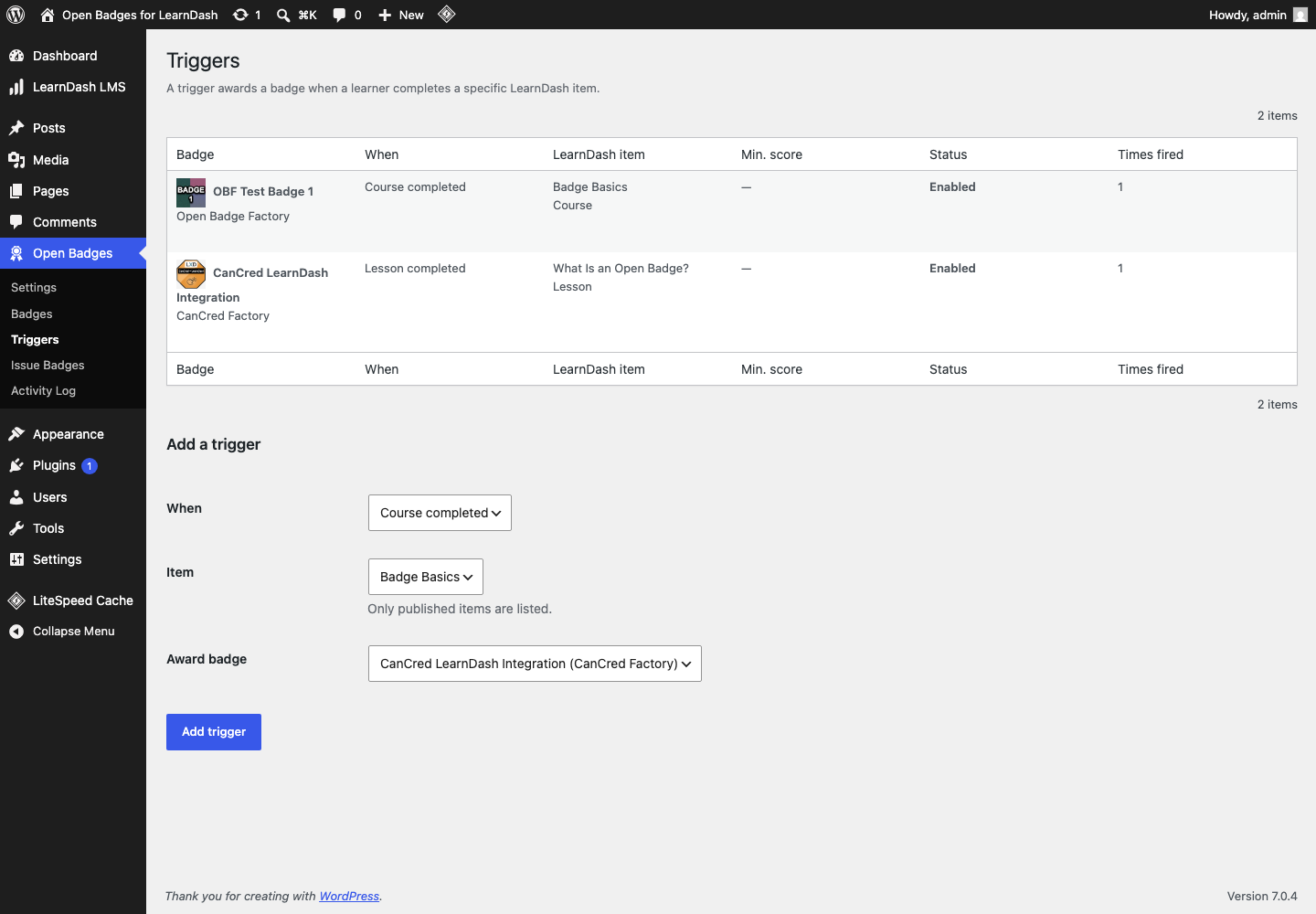
The automation rules: when this LearnDash event happens, issue that badge. Event types are course, lesson, and topic completion, plus quiz completion with an optional minimum score. Each row shows its fired count; triggers can be disabled without being deleted. This site has two: Lesson 1 of Badge Basics → CanCred badge, and the Badge Basics course → OBF badge. Try adding a third against the draft badge — the form won’t offer it, by design.
Issue Badges
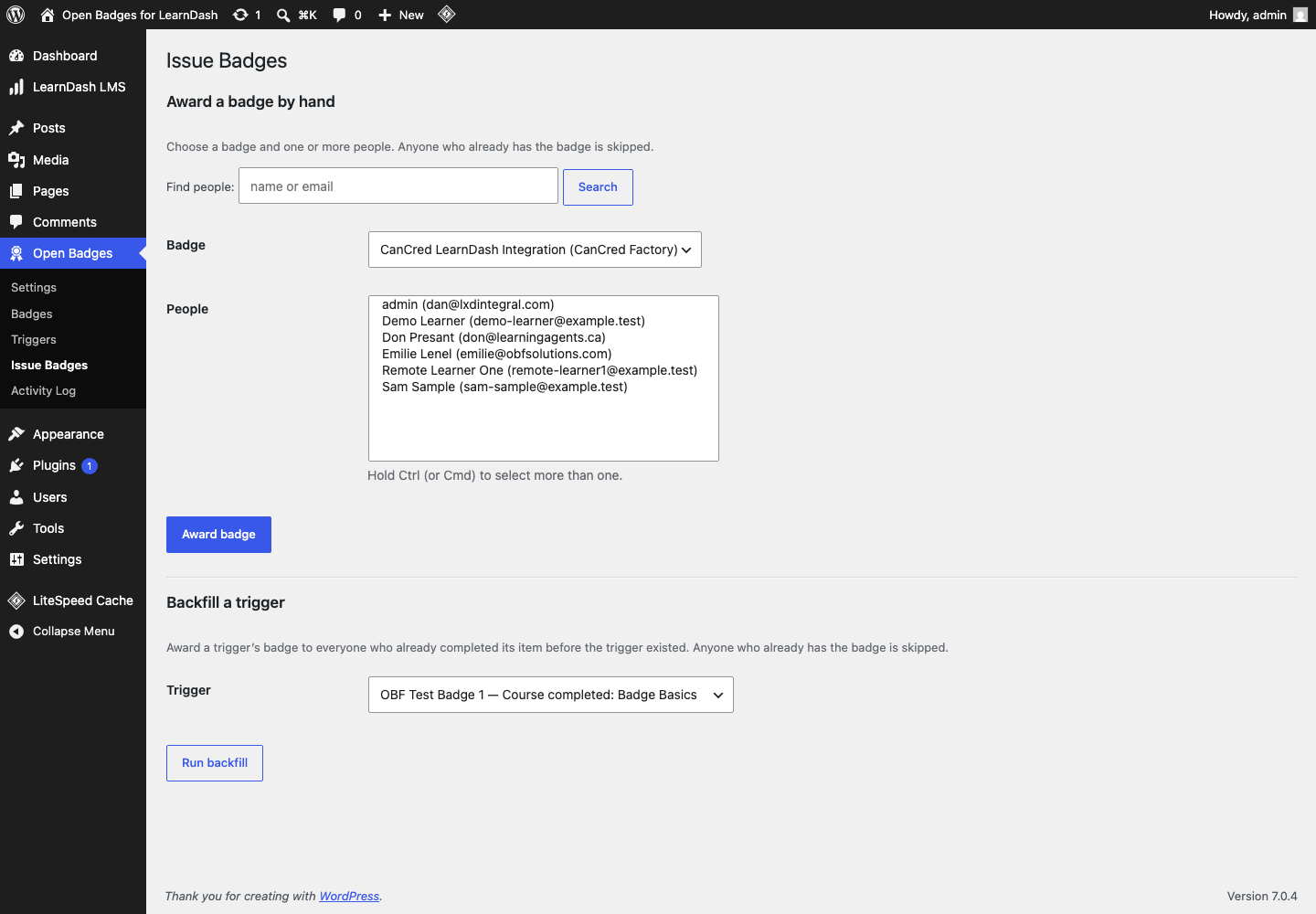
Two tools on one screen. Manual issuance: pick a badge and one or more people, and issue outside any trigger — useful for one-off recognition. Backfill a trigger: retroactively award a trigger’s badge to everyone who already met its condition before the trigger existed (e.g. learners who completed the course last year). Backfill skips anyone who already holds the badge, however they earned it — the two deduplication rules are covered under “Under the hood” below. Tip: manual issuance to your own real email will send you an actual badge email from the provider — a nice way to see the learner-facing result.
Activity Log
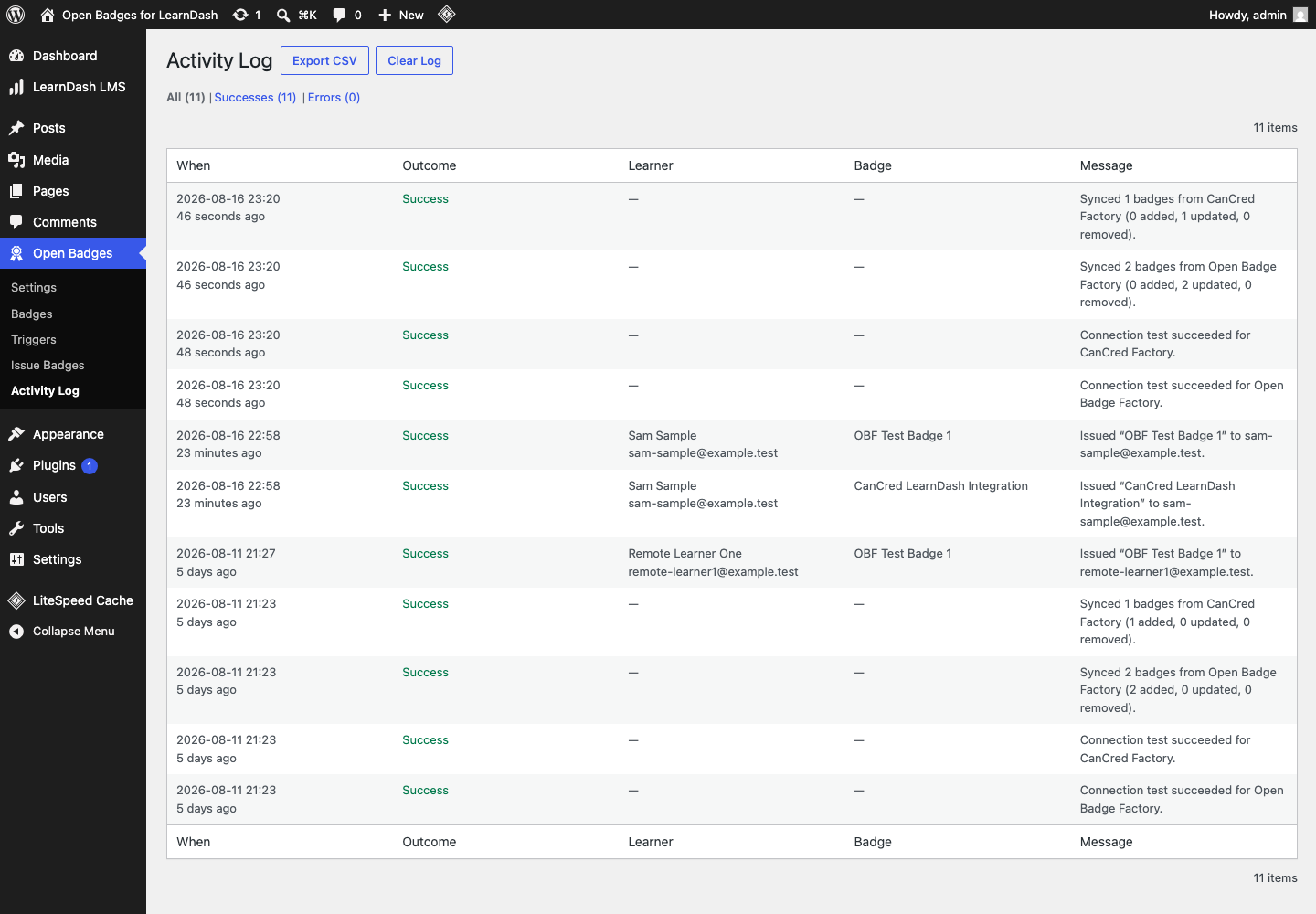
Every notable action — syncs, connection tests, each issuance with learner, badge, and outcome — filterable by outcome, exportable as CSV, and clearable (clearing the log never touches the award records themselves). This is the first place to look when demonstrating or debugging anything.
Displaying badges to learners
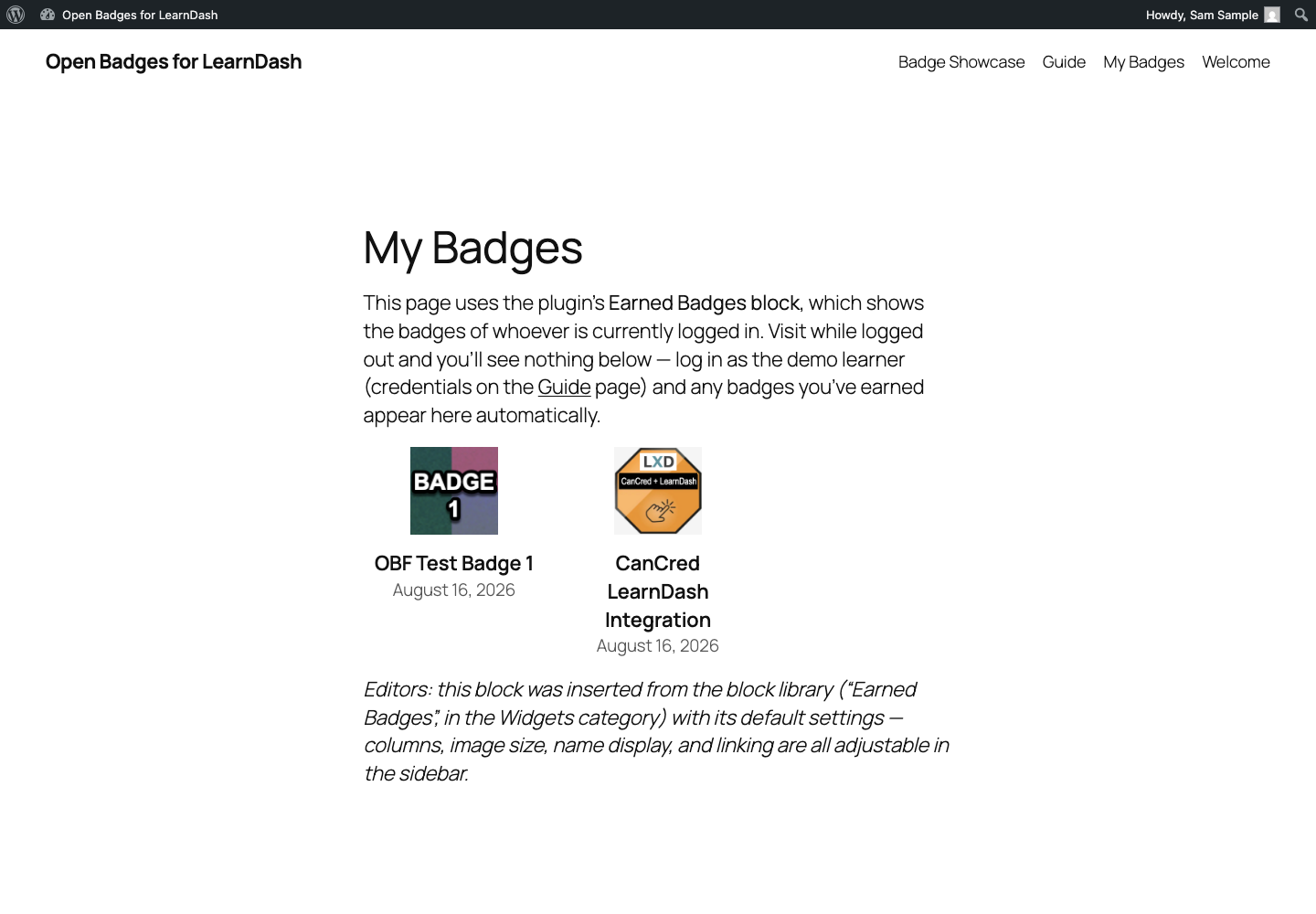
- Earned Badges block — in the editor’s Widgets category. Shows the logged-in visitor’s badges; columns, image size, names, and linking are configurable in the block sidebar. Live example: My Badges.
[user_badges]shortcode — same output for classic contexts. Attributes:user(a user ID; defaults to the logged-in visitor),columns(1–6, default 3),size(image pixels, 32–256, default 96),show_name(“1″/”0”, default on),link(“1″/”0”, default off),export(“1″/”0”, default on),verify(“1″/”0”, default on). Live example with an explicit user: Badge Showcase.
Saving a badge to a Passport, and verifying one
Every displayed badge carries up to two small links, fetched from the issuing provider after the badge is awarded:
- Save & share — opens the badge holder’s personal page at the provider, where they can save the badge to Open Badge Passport (or CanCred Passport), download it, or share it. This is the same link the provider emails when a badge is issued — so it appears only when you are logged in and looking at your own badges, never on a public page.
- Verify — opens the provider-hosted Open Badges 3.0 credential for that specific award: the machine-readable proof of who issued what, to whom (identified by a hashed email, not a readable address), and when. This link is public by design — it is what makes a badge on the Badge Showcase independently verifiable.
Downloading the badge image from a page here gives you only the artwork — the verifiable version of a badge always comes from the provider, via those two links.
Under the hood
- Issuance is asynchronous. A completion only writes a queued award and schedules a background job — the learner’s page load never waits on, and is never exposed to, a provider outage. Failures retry with backoff, and an hourly sweep catches anything left over.
- Two deduplication rules. Trigger-driven awards are unique per learner per trigger (database-enforced). Manual and backfill awards have no trigger, so they deduplicate at badge level: “does this person already hold this badge, however earned?”
- Provider emails are real. The badge email comes from OBF/CanCred, not from WordPress. Issue to a real address and that person gets a real badge. The demo learner’s
example.testaddress is reserved and non-deliverable on purpose. - What’s counted where. The Badges screen mirrors providers; the Triggers screen counts firings; the Activity Log records outcomes; award records (who holds what) live behind My Badges and the Issue screens’ dedup checks.
Questions, bugs, ideas? This is exactly what the testbed is for — note them and tell Dan (dan@lxdintegral.com).